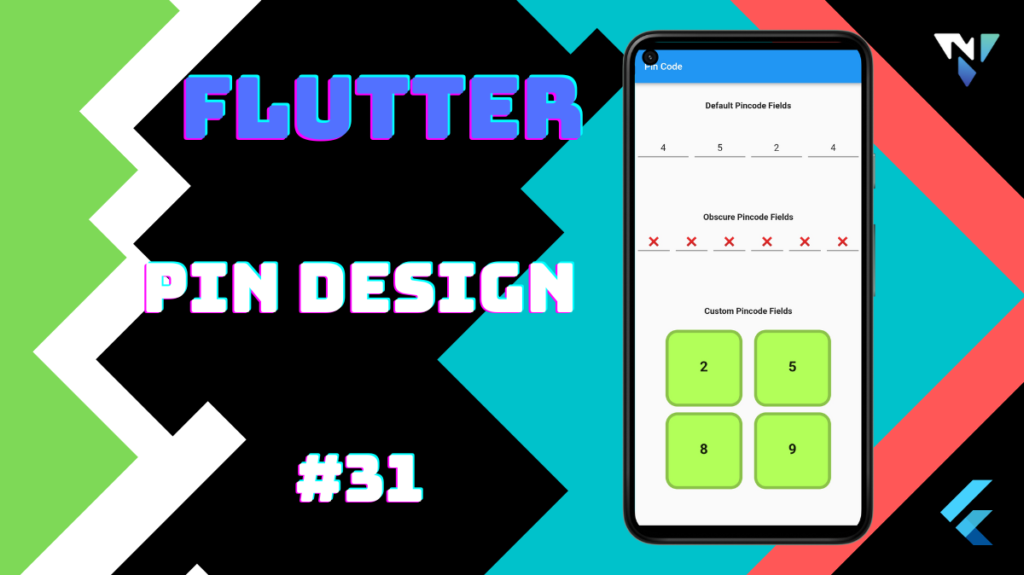
Tutorial and code of PIN Design in Flutter. Copy and paste the below code as per your requirements.
flutter_pin_code_fields: ^1.1.0
import 'package:flutter/material.dart';
import 'package:flutter_pin_code_fields/flutter_pin_code_fields.dart';

void main() {
  runApp(MyApp());
}

class MyApp extends StatelessWidget {
  @override
  Widget build(BuildContext context) {
    return MaterialApp(
      debugShowCheckedModeBanner: false,
      title: 'Pin Code',
      home: MyHomePage(),
    );
  }
}

class MyHomePage extends StatefulWidget {
  @override
  _MyHomePageState createState() => _MyHomePageState();
}

class _MyHomePageState extends State<MyHomePage> {
  TextEditingController newTextEditingController = TextEditingController();
  FocusNode focusNode = FocusNode();

  @override
  void dispose() {
    newTextEditingController.dispose();
    focusNode.dispose();
    super.dispose();
  }

  @override
  Widget build(BuildContext context) {
    return Scaffold(
        appBar: AppBar(
          title: Text('Pin Code'),
        ),
        body: ListView(
          children: <Widget>[
            SizedBox(
              height: 30.0,
            ),
            Text(
              'Default Pincode Fields',
              textAlign: TextAlign.center,
              style: TextStyle(
                fontSize: 18,
                fontWeight: FontWeight.bold,
              ),
            ),
            SizedBox(
              height: 40.0,
            ),
            PinCodeFields(
              length: 4,
              controller: newTextEditingController,
              focusNode: focusNode,
              onComplete: (result) {
                // Your logic with code
                print(result);
              },
            ),
            SizedBox(
              height: 80.0,
            ),
            Text(
              'Obscure Pincode Fields',
              textAlign: TextAlign.center,
              style: TextStyle(
                fontSize: 18,
                fontWeight: FontWeight.bold,
              ),
            ),
            SizedBox(
              height: 10.0,
            ),
            PinCodeFields(
              length: 6,
              obscureText: true,
              obscureCharacter: '❌',
              onComplete: (text) {
                // Your logic with pin code
                print(text);
              },
            ),
            SizedBox(
              height: 80.0,
            ),
            Text(
              'Custom Pincode Fields',
              textAlign: TextAlign.center,
              style: TextStyle(
                fontSize: 18,
                fontWeight: FontWeight.bold,
              ),
            ),
            SizedBox(
              height: 10.0,
            ),
            PinCodeFields(
              length: 4,
              fieldBorderStyle: FieldBorderStyle.Square,
              responsive: false,
              fieldHeight: 130.0,
              fieldWidth: 130.0,
              borderWidth: 5.0,
              activeBorderColor: Colors.teal,
              activeBackgroundColor: Colors.tealAccent,
              borderRadius: BorderRadius.circular(20.0),
              keyboardType: TextInputType.number,
              autoHideKeyboard: false,
              fieldBackgroundColor: Colors.lightGreenAccent,
              borderColor: Colors.lightGreen,
              textStyle: TextStyle(
                fontSize: 30.0,
                fontWeight: FontWeight.bold,
              ),
              onComplete: (output) {
                // Your logic with pin code
                print(output);
              },
            ),
            SizedBox(
              height: 80.0,
            ),
            Text(
              'Animated Pincode Fields',
              textAlign: TextAlign.center,
              style: TextStyle(
                fontSize: 18,
                fontWeight: FontWeight.bold,
              ),
            ),
            SizedBox(
              height: 10.0,
            ),
            PinCodeFields(
              length: 4,
              animationDuration: const Duration(milliseconds: 200),
              animationCurve: Curves.easeInOut,
              switchInAnimationCurve: Curves.easeIn,
              switchOutAnimationCurve: Curves.easeOut,
              animation: Animations.SlideInDown,
              onComplete: (result) {
                // Your logic with code
                print(result);
              },
            ),
            SizedBox(
              height: 50.0,
            ),
          ],
        ));
  }
}